
For volunteer HOA boards
Running your HOA shouldn't be a full-time job.
Keep neighbors informed, organize important documents, and track HOA dues in one private place.
We'll help move your records and get your board started.
What your board and neighbors get
Announcements that reach everyone
Post news on the message board and email it to residents. You can see which emails were delivered.
Important documents, organized
CC&Rs, bylaws, budgets and minutes in one place. Choose who sees each file: all residents, owners only, or admins only.
Meetings and events
Meeting notices with agendas, video links and minutes, plus a community calendar. Residents can get an email reminder the day before.
HOA dues tracking
Bill every home in one step and record check or cash payments. Receipts and reminders go out by email, and you can see who's overdue.
Maintenance and home project requests
Residents report problems or ask approval for a project, with photos. The board assigns it and records the decision.
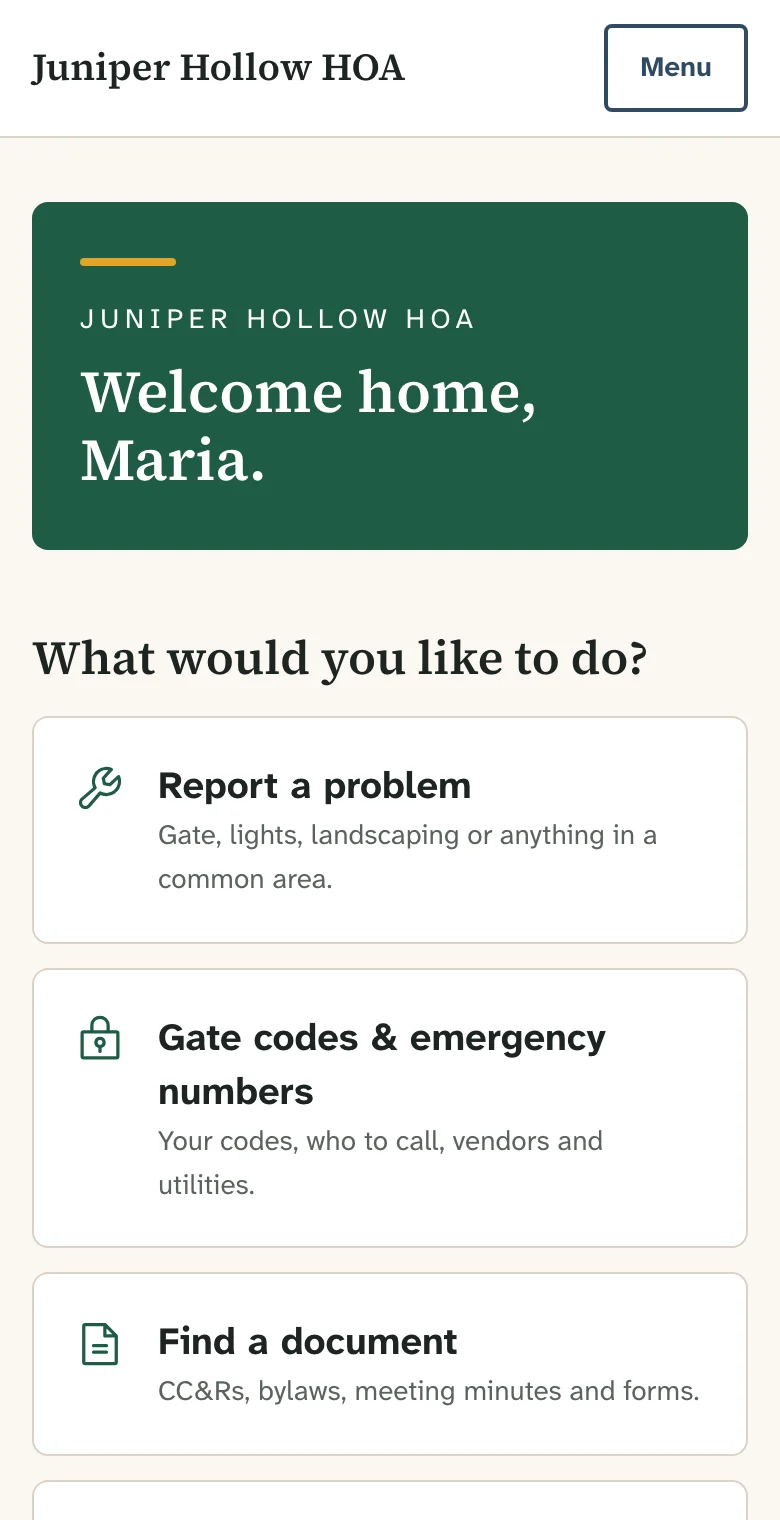
Gate codes and who to call
Each household sees only its own gate codes, along with emergency numbers, utilities and vendors.
Also included: polls with one vote per home, violation tracking with courtesy notices, private messages, a neighbor directory, photo albums and local weather. Online dues payments are coming soon. See every feature
Built for volunteer boards
Built for the volunteer treasurer with a day job, not a property-management company with a training department.
- Self-managed communities of about 10 to 150 homes
- Board members who would rather not learn complicated software
- Residents of every age: large, readable text and sign-in with an email link
See how it works
Real screens from Homeownio, shown with a made-up example community.
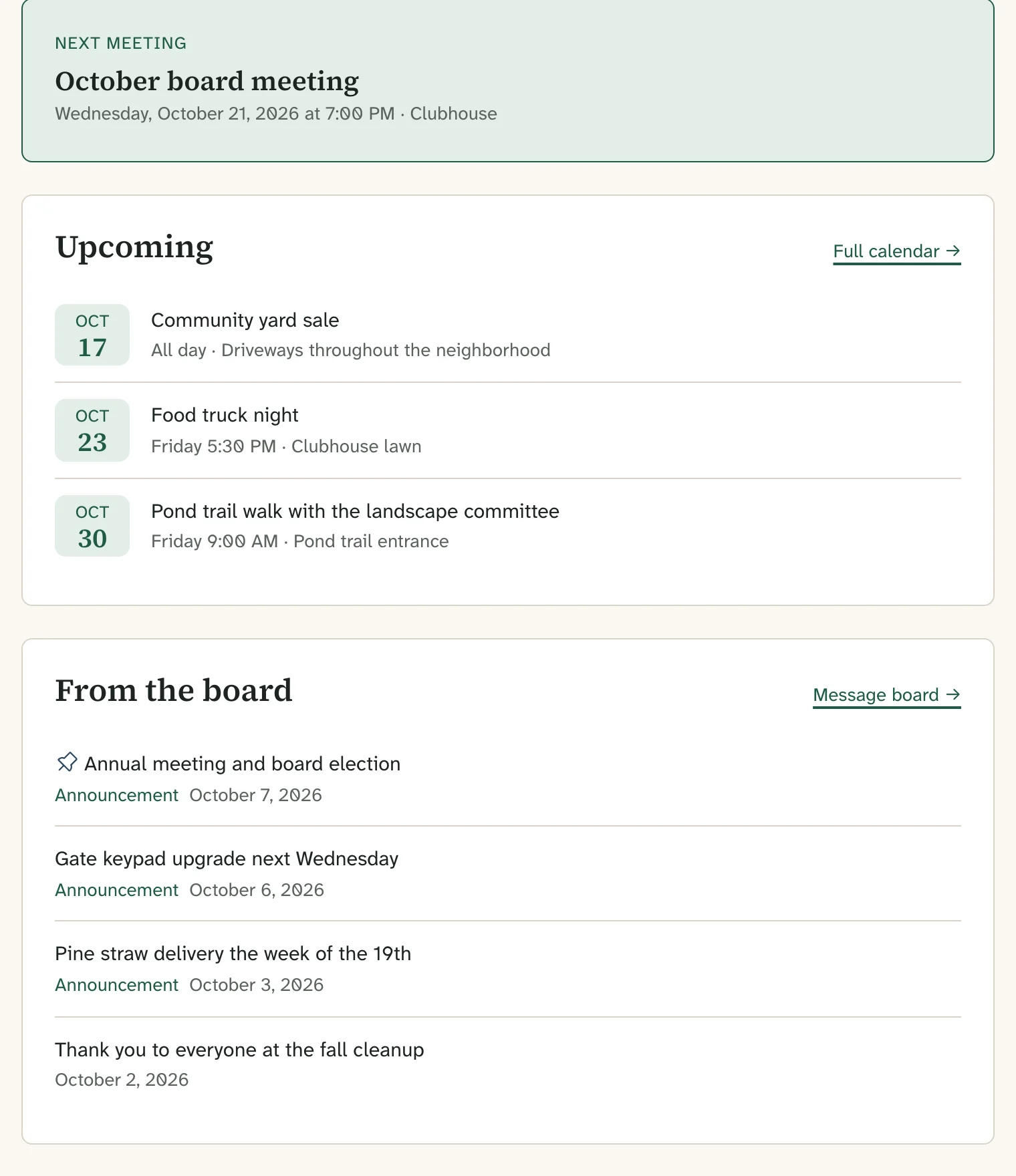
Neighbors see what's happening
The next meeting, upcoming events and the board's latest posts, on one page that works on any phone or computer.
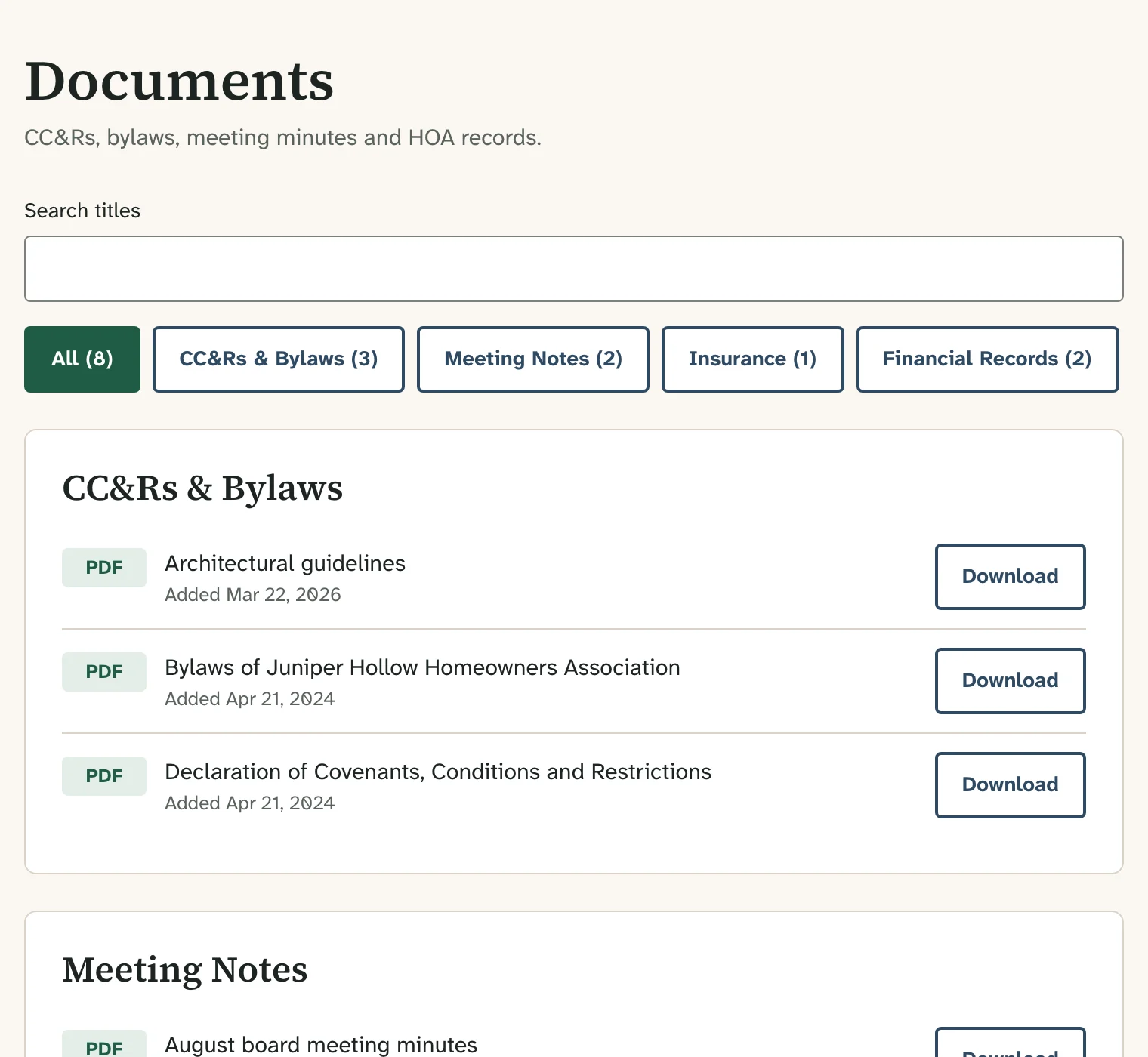
The right document, quickly
Governing documents, minutes and financial records sorted into categories, with a search box. Residents only see the files they're allowed to see.
What needs the board's attention
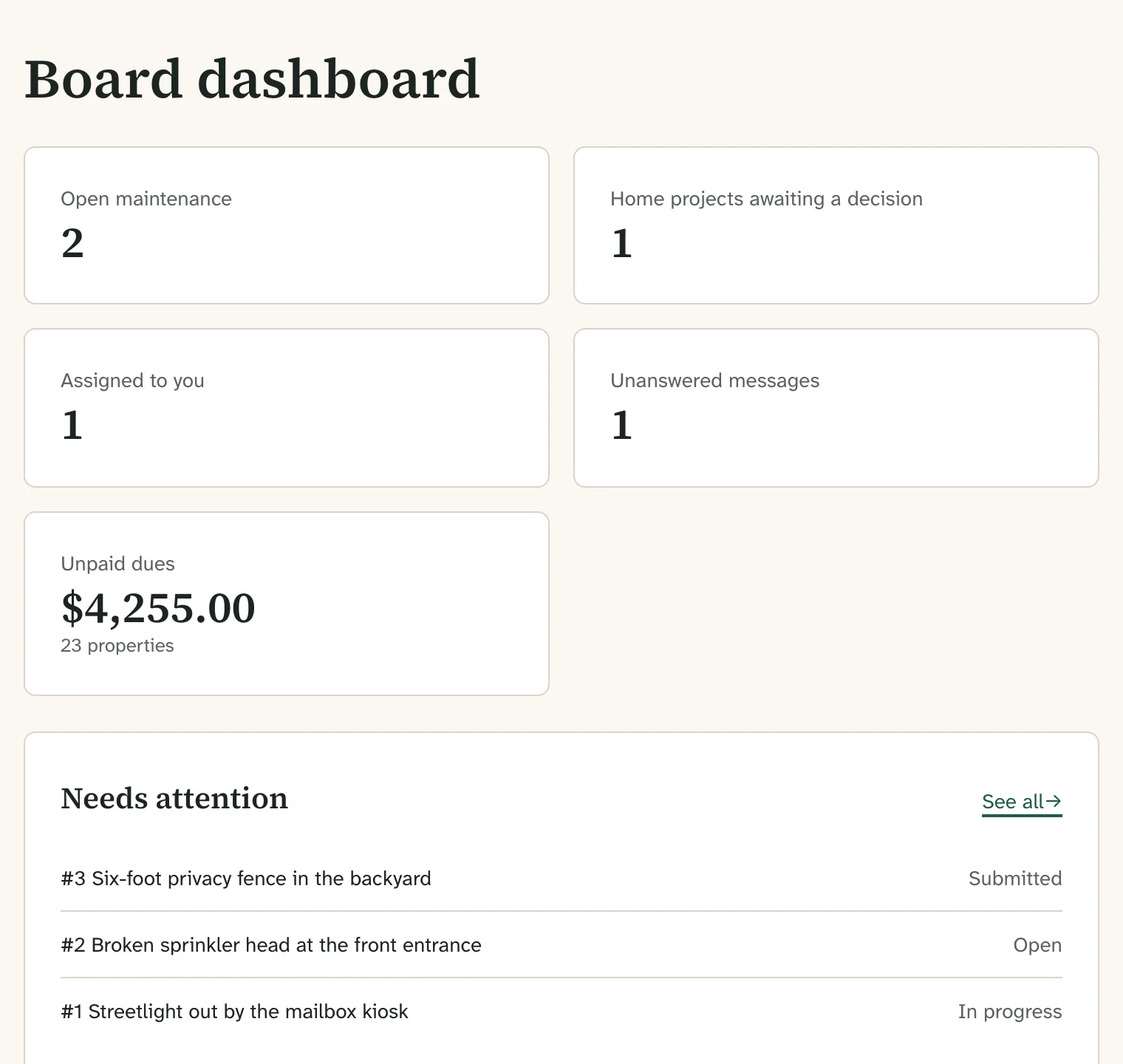
Open maintenance requests, home projects waiting for a decision, unanswered messages and unpaid dues, all on the board's dashboard.
Switching is easier than you think
- Step 1: Tell us about your HOA and share your records.Send us your resident list and documents, or point us to your current website.
- Step 2: We set up your private portal. Your board checks it.We import your homes and residents from a spreadsheet and help move documents, photos and events. Your board reviews the information and who can see what.
- Step 3: Invite your neighbors.Residents sign in with a link sent to their email. There's no password to remember, though they can set one if they like.
From $26 a month, priced by community size
One plan with every feature. No setup fee, no add-ons and no fees for homeowners.
Your neighborhood's information stays private
- Sign-in requiredOnly people your board invites can see your community's portal.
- Each HOA kept separateEvery community's records are kept apart by rules in the database itself, not just by the app.
- Your board decides who sees whatDocuments can be for all residents, owners only or admins only, and meetings and info pages can be board-only. Renters don't see owners' balances.
- Files checked every timeEach document download is checked against the person's role and uses a link that expires after five minutes.
- A record of important changesRole changes, dues actions and gate-code changes are recorded.
Portals are also kept out of search engines, so your community's pages don't show up in Google.
Questions boards ask
Who is Homeownio for?
Self-managed homeowners associations run by volunteer boards, usually about 10 to 150 homes.
Can residents pay dues online?
Not yet. Today your board can bill every home and record check or cash payments. Online card and bank payments are coming soon, paid directly to your HOA's own account.
Is Homeownio a public website for our HOA?
Mostly it's a private portal for your residents. Your administrators choose what, if anything, is public, such as a front page with how to contact the board. Nothing is public until you choose it. A fuller public website is on our roadmap.
Do residents need to remember a password?
No. They sign in with a one-time link sent to their email, and can set a password if they prefer.
See Homeownio with your board
Tell us about your community. We'll show your board around and send a quote.
Book a 20-minute walkthroughAlready a resident? Sign in
Start typing your HOA's name, then choose it from the list.
Not sure of the name? Your board can tell you. It's the first part of your portal's address.